Installation
This section describes how to install and validate the software stack for Red Hat AI Enterprise with Rebellions. Install components and perform verification in the following order:
-
Red Hat OpenShift cluster — For cluster installation and lifecycle tasks, see OpenShift support.
-
RBLN NPU Operator — After the cluster is ready, install the operator. It deploys and manages the Rebellions components required to provision RBLN NPUs on OpenShift. See RBLN NPU Operator.
-
Verification — When the operator is running, Rebellions NPU devices are exposed to cluster workloads. Perform the checks below to confirm resource registration, pod scheduling, and in-container device access.
-
Node capacity (resource registration)
Query node capacity (example):
A successful registration includes a
rebellions.ai/npuentry in the JSON, for example:That entry shows the node advertises the accelerator and can schedule pods that request
rebellions.ai/npu. -
Device visibility inside the pod
To use the ATOM™ accelerator, declare
rebellions.ai/npuunder both requests and limits in the pod specification—for example:Set equal requests and limits so the scheduler can bind the pod to a node that exposes the device.
From a running pod, run:
Expected output includes device identifiers, memory, and utilization, which confirms the container can access the ATOM™ accelerator.
Reference: sample
rbln-smioutput> rbln-smi +-------------------------------------------------------------------------------------------------+ | Device Information KMD ver: 3.2.2 | +-----+-----------+---------+---------------+------+---------+------+---------------------+-------+ | NPU | Name | Device | PCI BUS ID | Temp | Power | Perf | Memory(used/total) | Util | +=====+===========+=========+===============+======+=========+======+=====================+=======+ | 0 | RBLN-CA25 | rbln0 | 0000:05:00.0 | 36C | 56.4W | P14 | 0.0B / 15.7GiB | 0.0 | +-----+-----------+---------+---------------+------+---------+------+---------------------+-------+ | Context Information | +-----+---------------------+--------------+-----------+----------+------+---------------+--------+ | NPU | Process | PID | CTX | Priority | PTID | Memalloc | Status | +=====+=====================+==============+===========+==========+======+===============+========+ | N/A | N/A | N/A | N/A | N/A | N/A | N/A | N/A | +-----+---------------------+--------------+-----------+----------+------+---------------+--------+ rbln-smi success, skipping rbln-stat
If a check fails or command output differs materially from the patterns above (including the sample
rbln-smilisting), contact client support for assistance. -
-
Red Hat OpenShift AI — Install the product using the procedure in the Red Hat OpenShift AI self-managed installation guide.
Red Hat AI Enterprise with Rebellions NPU has been validated with Red Hat OpenShift AI 3.5, which uses a KServe-oriented model-serving workflow, hardware profiles, and runtime auto-selection so deployments can be matched to the intended compute resources.
Key components and roles
Model serving on Red Hat OpenShift AI 3.5 relies on two primary custom resources:
- ServingRuntime — Container image, entrypoint, environment, and supported model formats for the inference stack.
- HardwareProfile — CPU, memory, accelerator, toleration, and node-selector constraints so the scheduler can place workloads on suitable nodes.
Rebellions provides reference manifests for RBLN
ServingRuntime, and RBLNHardwareProfileobjects that follow this workflow.RBLN ServingRuntime
A
ServingRuntimedefines how model-serving pods are built: which image to run, how models are supplied, and which protocols and formats are supported. Register one from the dashboard under Settings > Model resources and operations > Serving runtimes, then choose Add serving runtime. The following dialog is shown.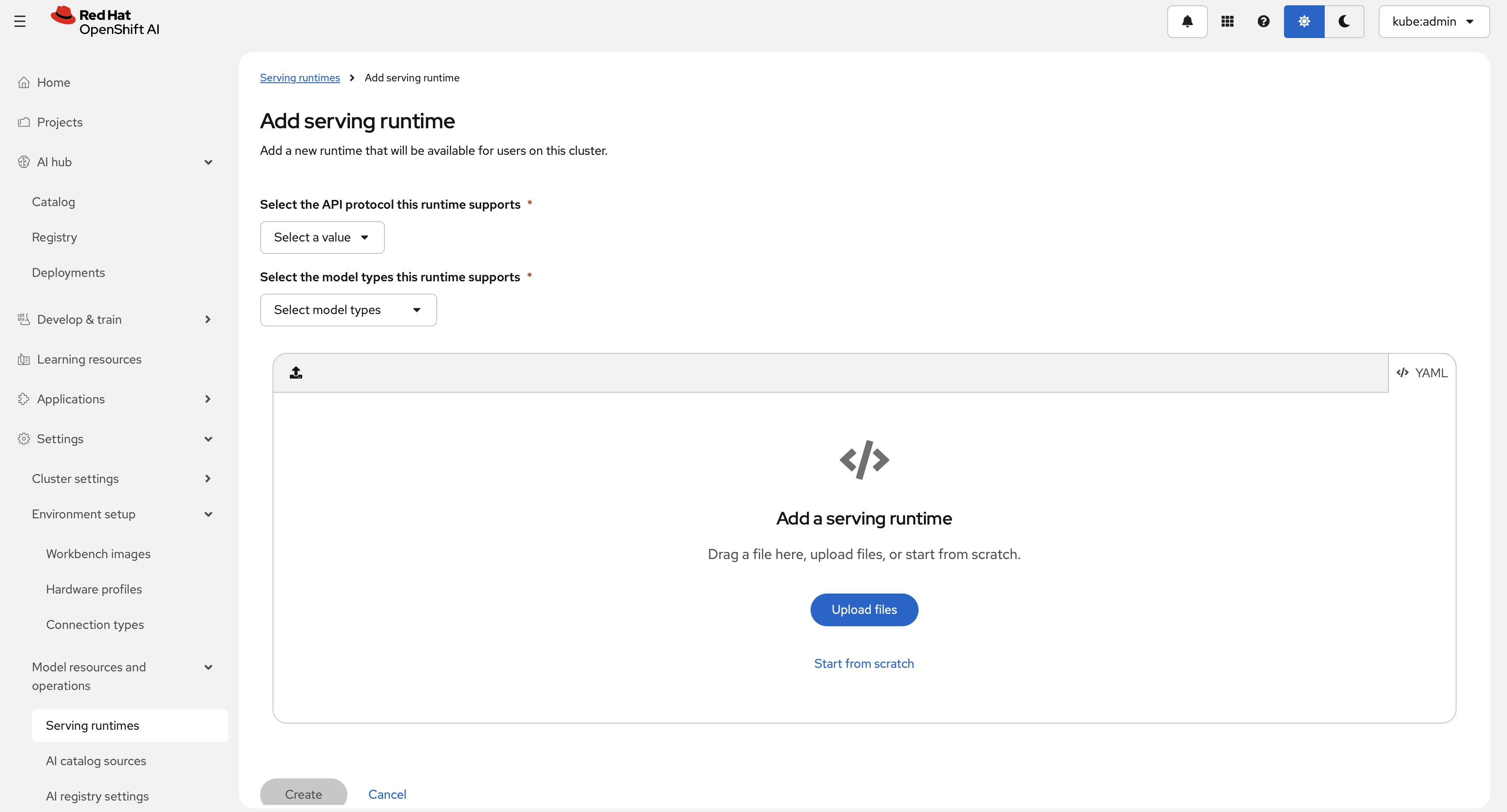
Select an API protocol (REST or gRPC). This example uses REST and a generative model type. Paste the following
ServingRuntimeYAML into the editor.The
ServingRuntimeabove does not specify a secret for pulling images. You can either reference OpenShift's Global Pull Secret or create a separate secret and add it to theServingRuntimeas follows:The above YAML manifest can be applied by the following command:
RBLN Hardware profile
Hardware profiles are custom resources for targeted scheduling. Use them to declare CPU, memory, accelerator, toleration, and node-selector requirements for workloads such as workbenches and model serving. Create an RBLN profile from Settings > Environment setup > Hardware profiles, then select Create hardware profile.
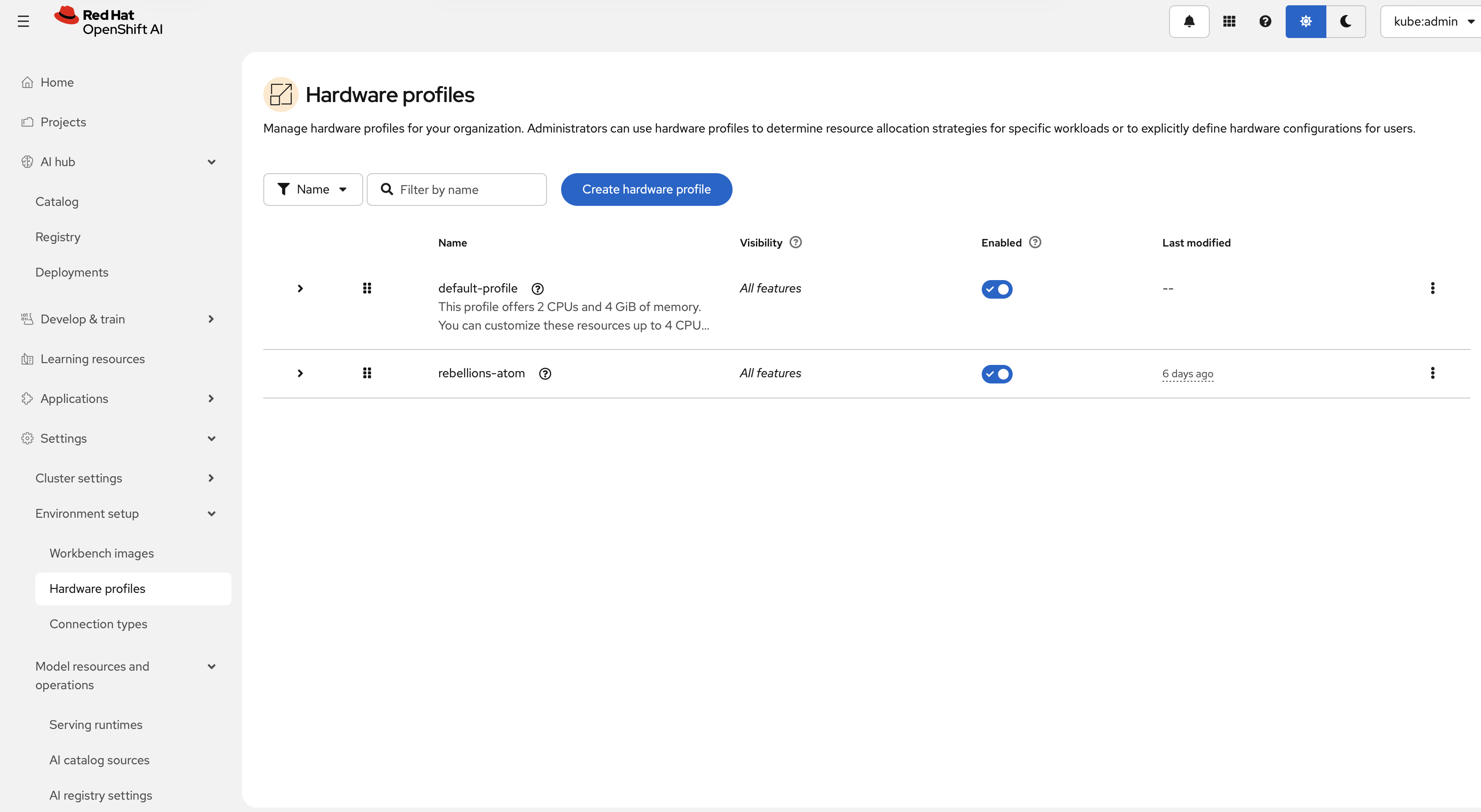
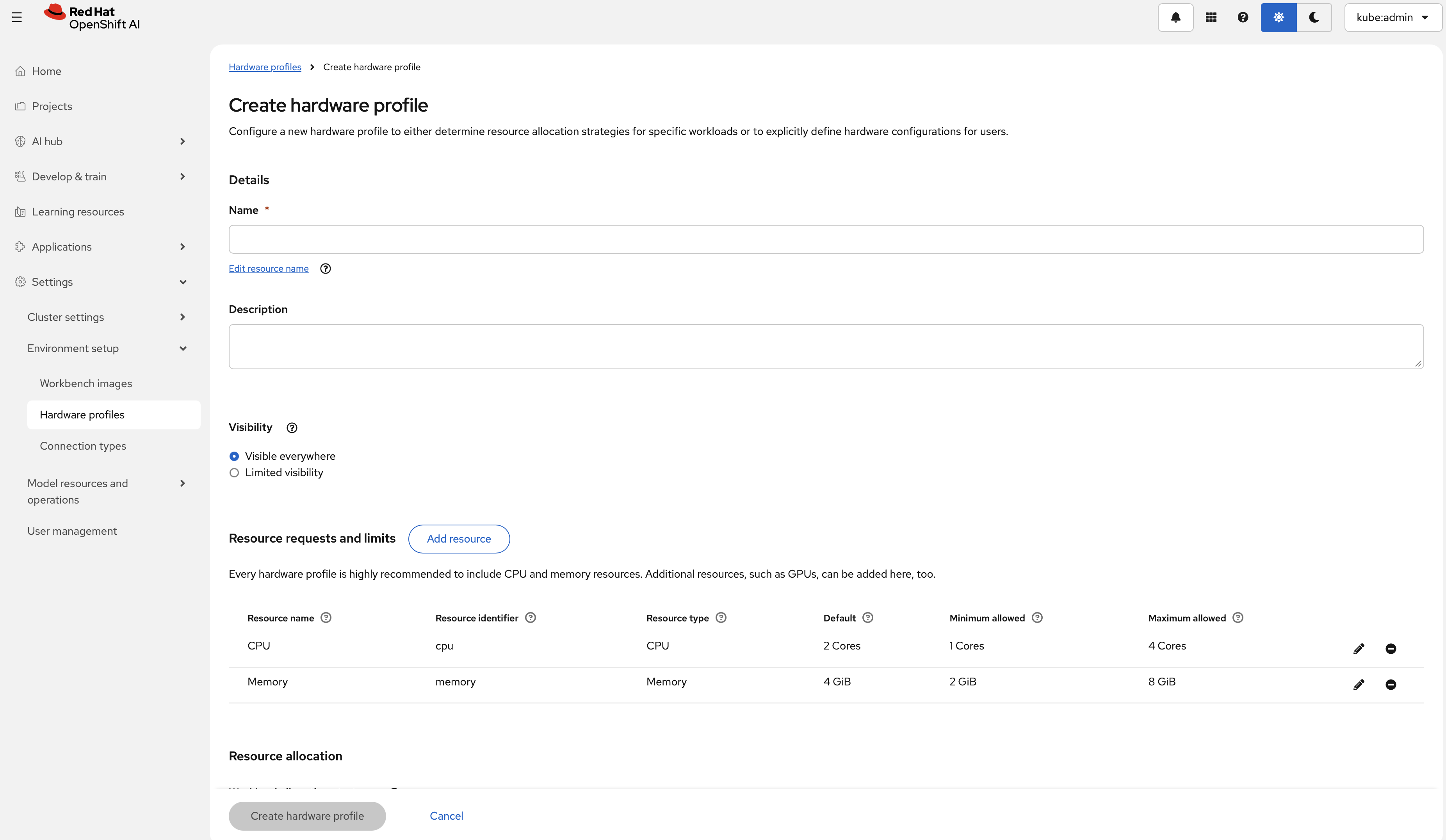
The form exposes fields for:
- Hardware identifiers
- Explicit resource limits (CPU, memory, accelerators)
- Tolerations
- Node selectors
The following defines a recommended RBLN hardware profile for Rebellions NPU ATOM™-MAX (RBLN-CA25).
The above YAML can be applied by the following command:
For more information, see Red Hat’s guide Working with hardware profiles.
-
Local testing (Podman or Docker) - Before deploying model serving on OpenShift, check whether a container instance of RHOAI vLLM RBLN image is created well on a host. Also, you can check whether an AI model works before it is deployed on a Kubernetes pod. Follow the steps below.
-
Login to registry
Authenticate to the container registry:
-
Run the container
-
Send a test request Send a sample chat completion request:
When local validation succeeds, continue with model deployment and inference on Red Hat OpenShift AI.
-