Profiling Guide
Low-level profiling measures NPU execution in addition to request-level metrics such as time to first token (TTFT) and time per output token (TPOT).
This guide describes profiling with the PyTorch Profiler and the RBLN Profiler.
1. PyTorch Profiler
This method uses the PyTorch Profiler to measure performance at the operation level. It allows for the analysis of kernel execution times and computational bottlenecks. RBLN vLLM supports the same interface as the official vLLM Profiling guide.
Note
Previously, profiling was configured using environment variables, but environment variables for profiling are starting to be deprecated. Starting from RBLN vLLM v0.10.1, configure profiling through the profiler_config parameter of LLM.
1.1 Offline Inference Profiling
For offline inference using Python scripts, pass the profiling parameters to LLM and call start_profile() before the code to profile and stop_profile() after it.
1.2 Online Inference Profiling
For online inference via the API server, start the OpenAI-compatible server with the --profiler-config option:
Use the following endpoints to control profiling.
- Call the
/start_profileendpoint to begin profiling. - Send the actual inference request (e.g.,
/v1/chat/completions). - Call the
/stop_profileendpoint to stop profiling and save the results.
1.3 Additional Options
For a more detailed analysis, set the following additional keys in profiler_config:
torch_profiler_record_shapes: Records tensor shape information, off by default.torch_profiler_with_memory: Profiles memory usage as well, off by default.torch_profiler_with_stack: Records source code stack traces, on by default.torch_profiler_with_flops: Records FLOPs (Floating Point Operations), off by default.torch_profiler_use_gzip: Compresses the profiling files with gzip, on by default.
1.4 Visualizing Profiling Results
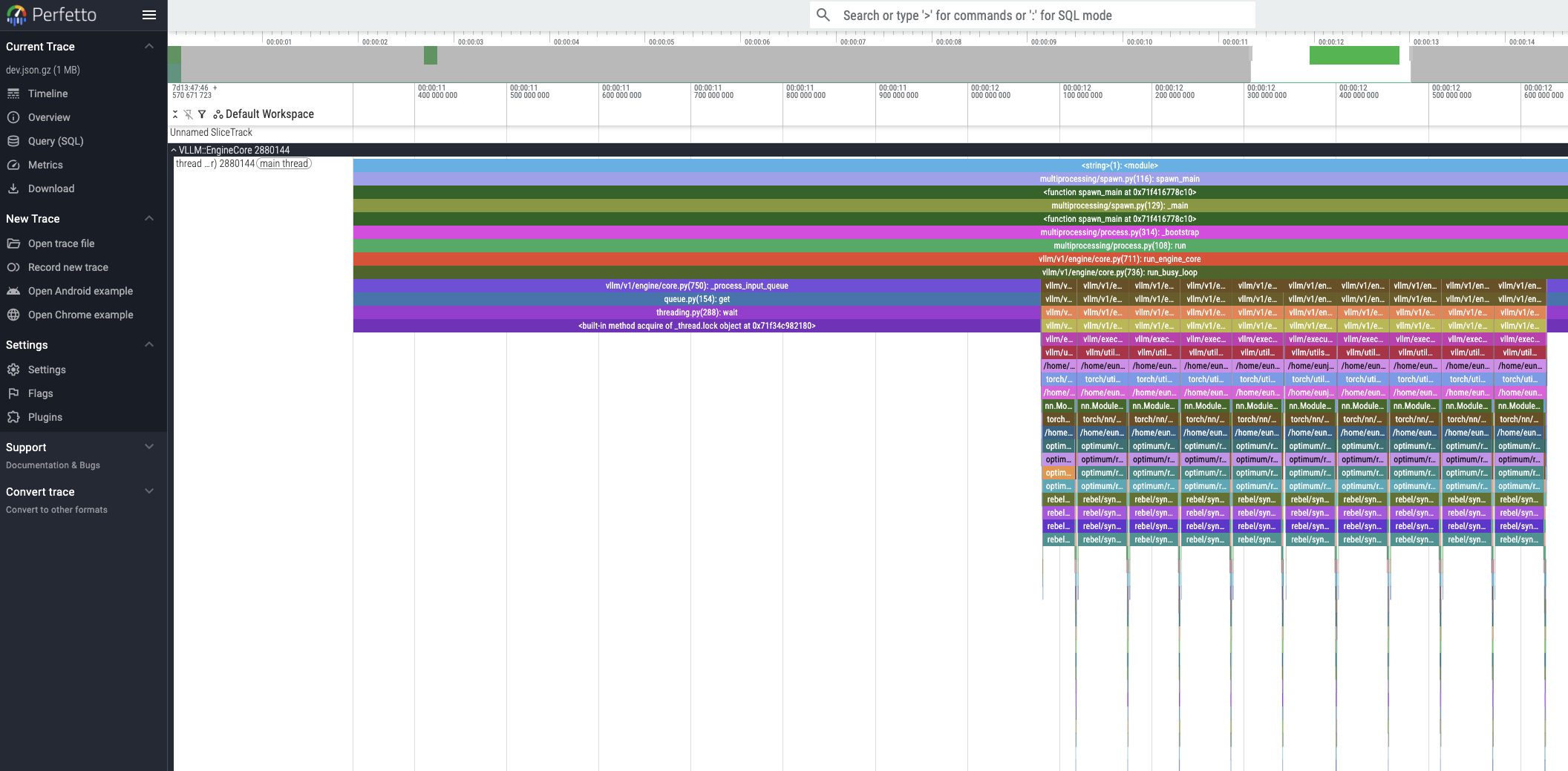
The generated profiling trace files can be visualized using the Perfetto UI.
2. RBLN Profiler
The RBLN Profiler analyzes workloads running on RBLN NPUs. For details, see RBLN Profiler.
RBLN vLLM supports the RBLN Profiler and its integration with the PyTorch Profiler.
2.1 Configuration
Set the environment variable as shown below and run RBLN vLLM to generate profiling results.
RBLN_PROFILER=1: Enables the RBLN Profiler.
This variable turns on the RBLN Profiler. The RBLN Profiler runs on the vllm model implementation, and model_impl="vllm" on LLM selects it. On that path, passing no profiler_config to LLM leaves the RBLN Profiler running on its own, writing its own trace file.
Rebel100™ additionally supports integration with the PyTorch Profiler. With "profiler": "torch" in profiler_config, the PyTorch Profiler controls the profiling session and the RBLN Profiler's trace is merged into the PyTorch Profiler's trace. This is the run described in section 1.
Note
Measured times may include the overhead of retrieving profiling data, so they may differ from execution times measured with profiling disabled. It is best used to examine the device execution windows such as Device Workload.
2.2 Offline Inference Profiling
Wrap the section you want to measure with start_profile() and stop_profile(). This follows the same vLLM usage as section 1, and the RBLN Profiler can be enabled with RBLN_PROFILER=1.
stop_profile() returns only after every worker has finished writing its trace, so the result files are on disk by the time it returns.
Warning
Without start_profile() and stop_profile() marking the measured window, the trace can be lost. Where the workers run in their own processes, they are torn down when the engine shuts down, and any trace that has not been written by then is not saved to disk.
2.3 Visualizing Profiling Results
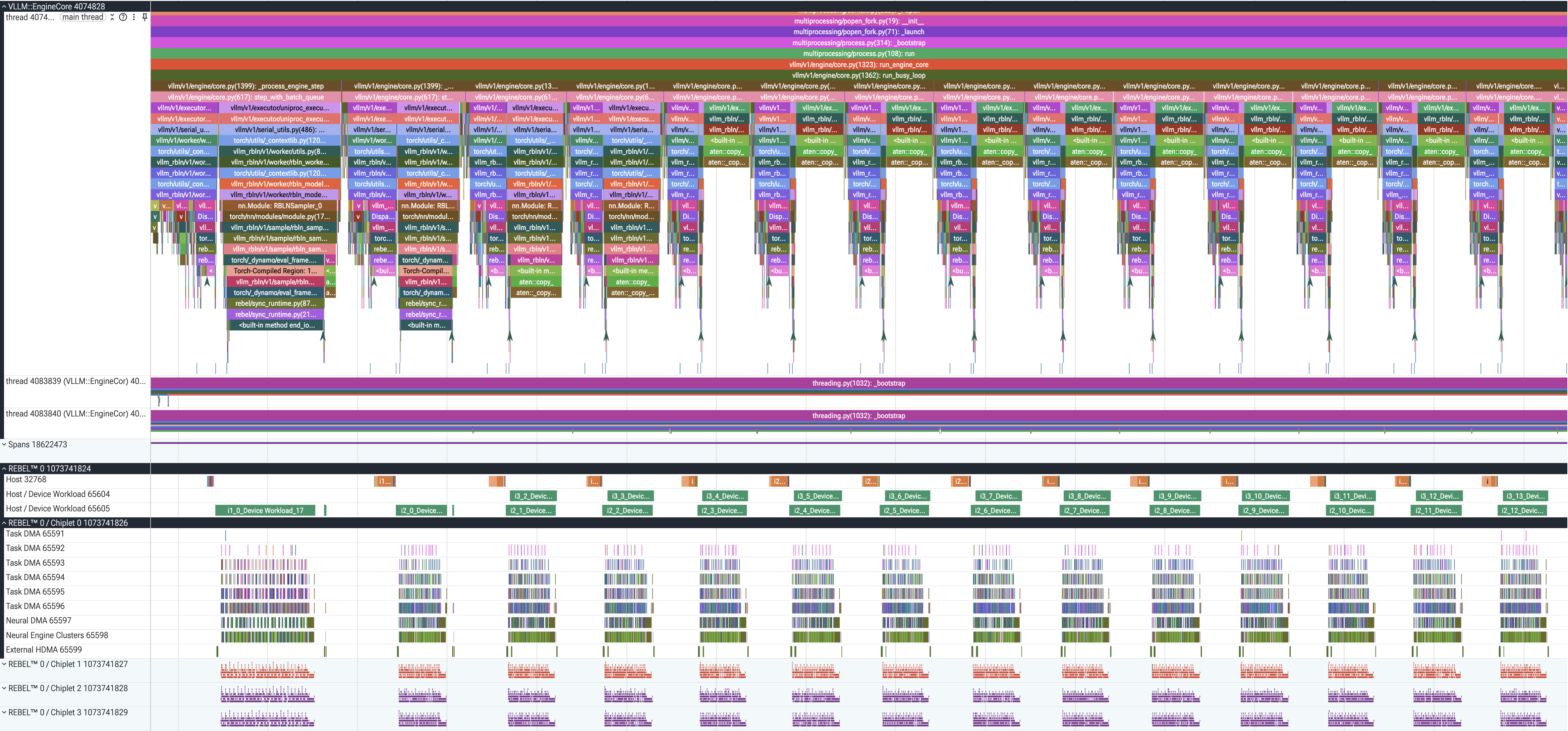
A trace file is written per worker, so a run with multiple ranks produces multiple trace files. These files can also be visualized using the Perfetto UI.
For more details on trace analysis, refer to the Perfetto Analysis Guide, and for the profiling procedure with vllm-rbln, to Option 2: Using vllm-rbln.