Multiple Traces on One Timeline
A model spread over several devices leaves one trace per rank. With the RBLN Profiler on, each worker writes a *.pb file. Turn the PyTorch profiler on alongside it and the device execution intervals collected by the RBLN Profiler are included in the PyTorch profiler's output chrometrace, together with the framework operations. Each rank is then left with a *.pb and a chrometrace.
Where an RBLN Profiler *.pb holds the time each device measured on its own clock, a chrometrace is recorded by the PyTorch profiler against the host's clock — with the device-side windows placed on that same clock — which is what makes it mergeable. The ranks run in separate processes, but they share a single host clock, so the files already line up.
To see how the ranks relate, then, turn on the PyTorch profiler as well, keep the per-rank chrometrace files, and merge them onto one timeline in the Perfetto UI.
1. Enable the MultiTraceOpen plugin
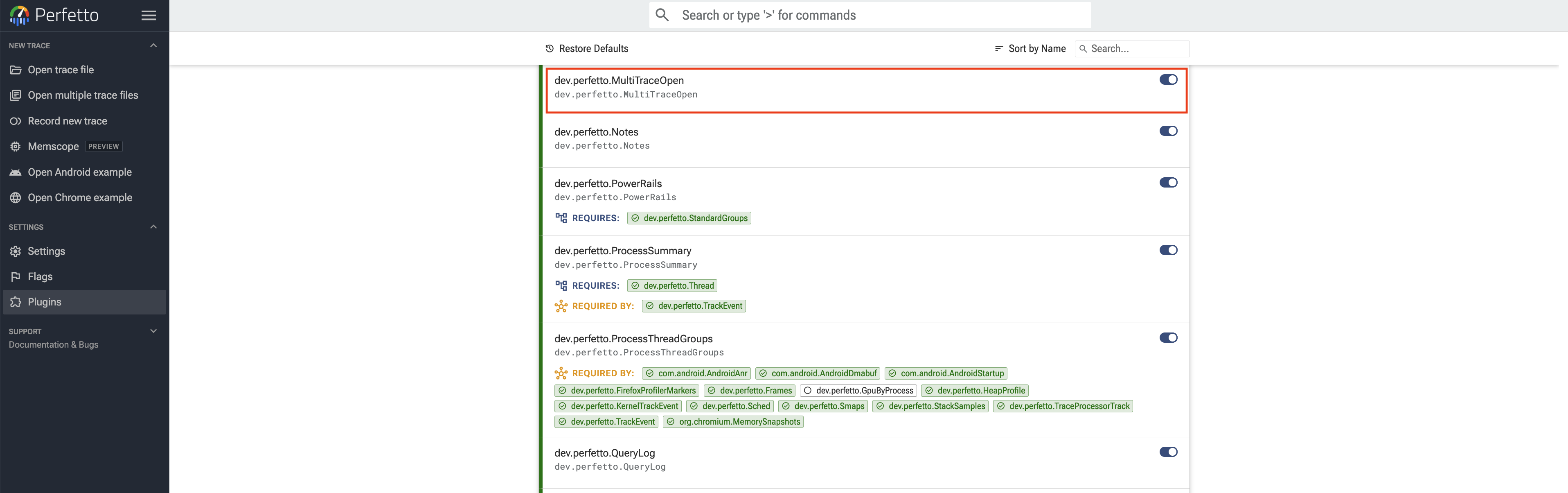
Opening several traces together requires a plugin, which is off by default. Enable dev.perfetto.MultiTraceOpen on the Perfetto UI plugin list, which you can also open from Plugins in the sidebar. Once the plugin is enabled, an Open multiple trace files entry appears under NEW TRACE in the sidebar.
2. Open the trace files
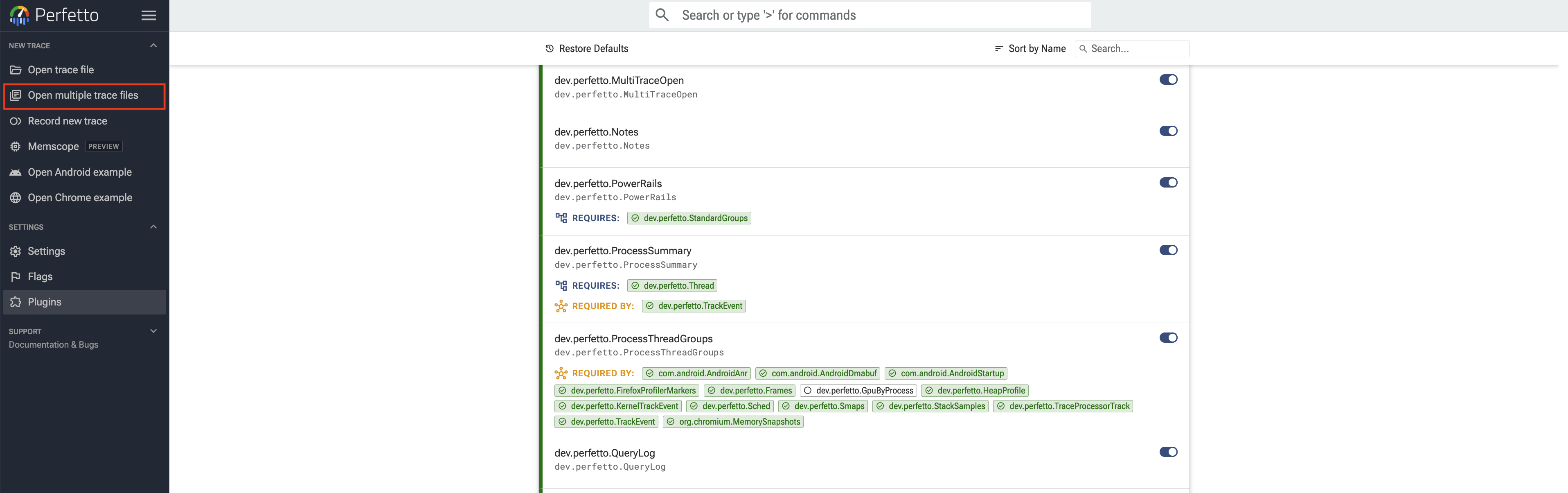
Select Open multiple trace files under NEW TRACE in the sidebar.
Pick the per-rank trace files together and the Open Multiple Traces dialog opens. It shows one row per file with its size and format, and takes one file as the baseline the others align to. Leave Align: automatically and Machine: Default as they are. Once All traces line up on the shared timeline. appears at the bottom, every file sits on one time axis; open them with Open Traces.
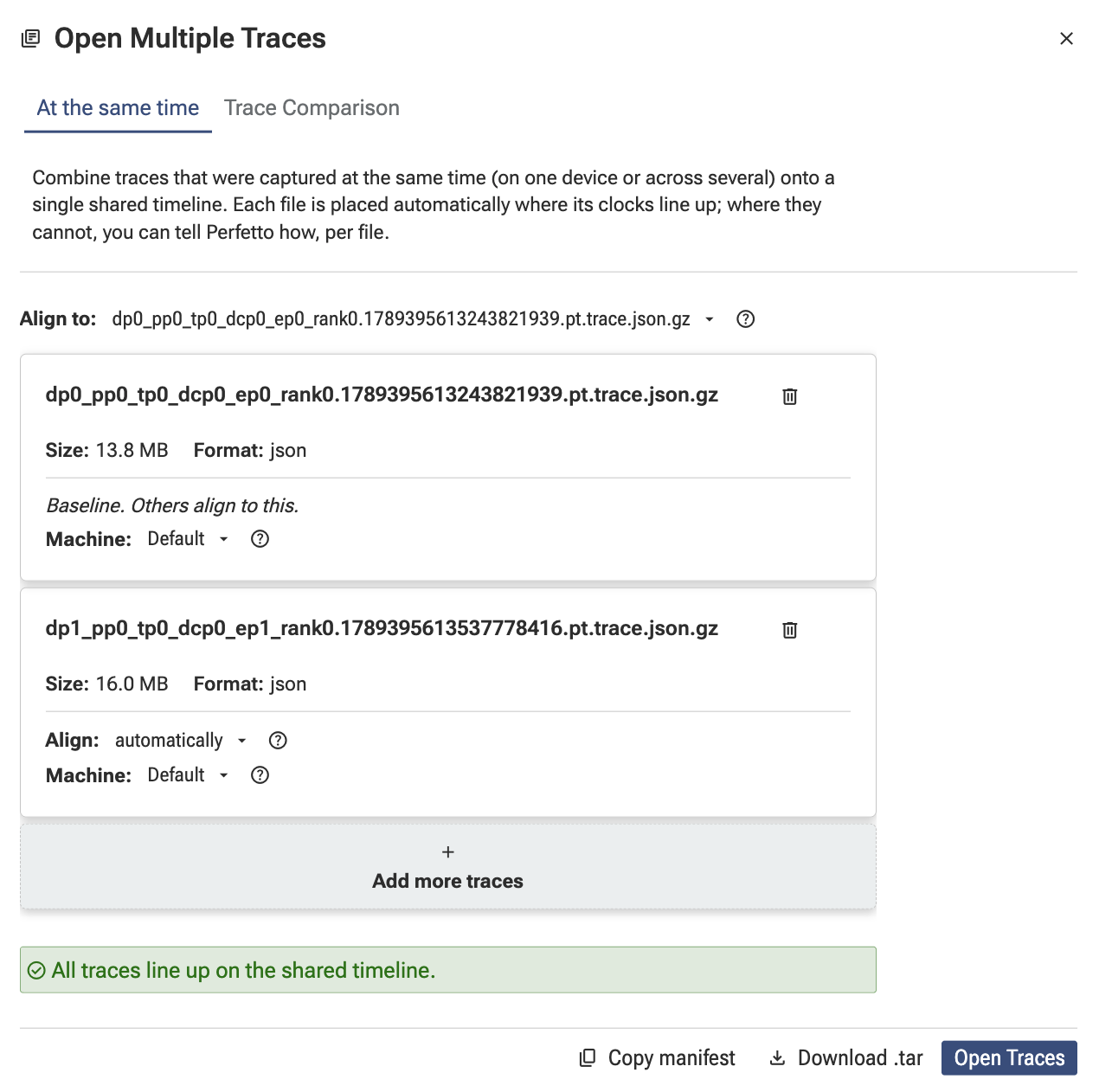
The dialog also offers alignment and machine settings; for those, refer to the Perfetto documentation.
3. The merged view
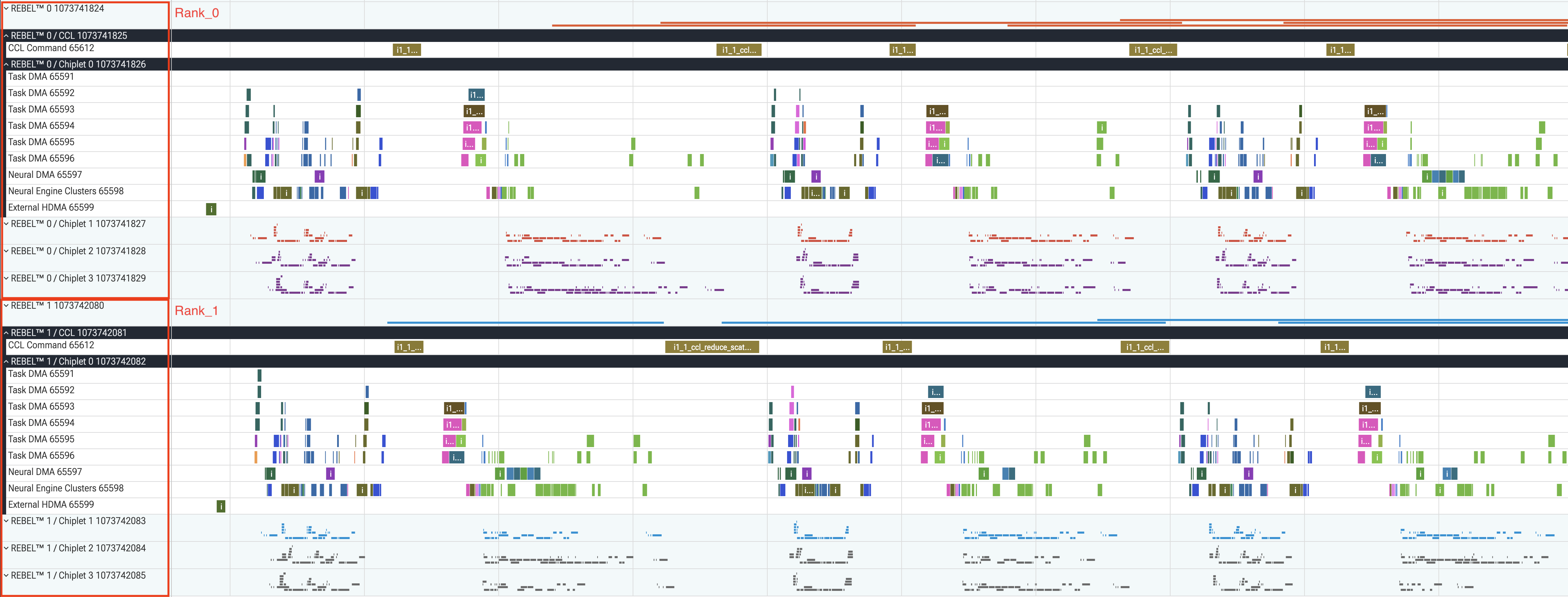
The per-rank tracks share one time axis while staying separated into per-device groups such as REBEL™ 0 and REBEL™ 1, each holding that device's Device Workload, CCL and Chiplet tracks. Comparing the slices of the same name on each rank's CCL Command track lets you examine an operation the ranks perform together, such as collective communication, on one screen.